ImageBatch — Batch Image Resizer & Converter
Resize. Convert. Done.
Turn a folder of images into consistent, ready-to-share files in a few clicks — directly in your browser.
No account. No installation. Your images never leave your device.
What you can do
- Batch conversion between PNG, JPEG and WebP.
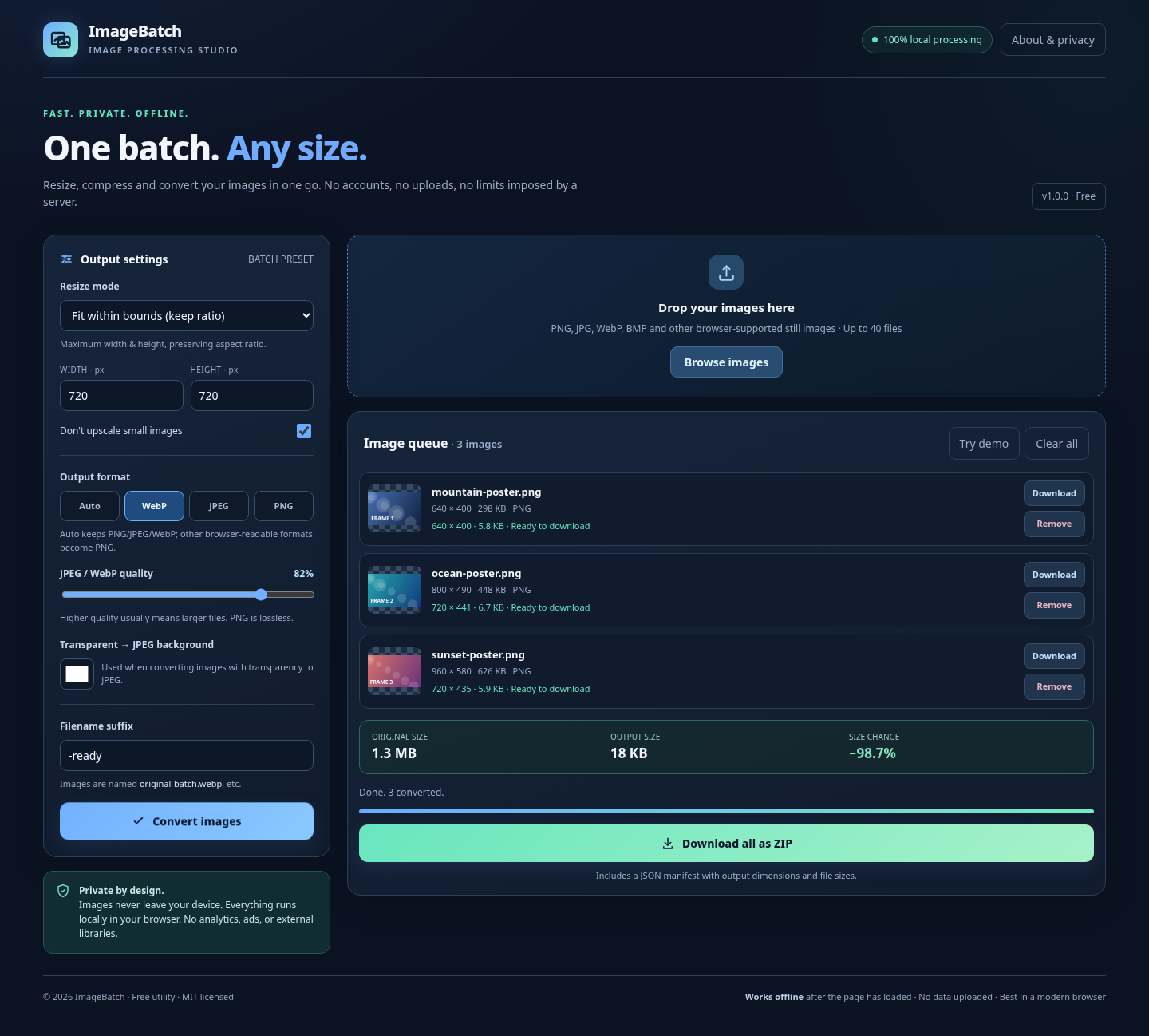
- Smart resizing — fit within bounds and preserve aspect ratio, fill with centre crop, stretch or keep original dimensions.
- Control quality for JPEG and WebP, with a live overall file-size comparison after conversion.
- Handle transparency by choosing a solid JPEG background colour.
- Export everything as individual files or a single ZIP with an image manifest (JSON).
- Work offline after the page loads. No tracking, analytics, uploads or external libraries.
- Try it instantly using the included demo images.
How to use
- Click Run tool and drag in your images (or choose Browse images).
- Pick dimensions, output format, quality and optional filename suffix.
- Click Convert images.
- Save your output files or download the whole batch as ZIP.
Notes
Supports up to 40 images, 25 MiB per file, with safety limits for extremely large images. Image format support depends on your browser. Animation and EXIF metadata are not preserved because images are re-encoded. Very large ZIPs may be blocked; individual downloads remain available. PNG is lossless, so not all conversions reduce file size.
Free to use • MIT licensed • No server uploads
Made for indie developers, web designers and anyone who handles many images.
Version 1.0.0

Leave a comment
Log in with itch.io to leave a comment.